Starting a WordPress Agency in 2026 & 2027: The Complete Playbook for Hosting, Builders, Niche Portfolios & Operations
Launching a profitable WordPress agency in 2026 and 2027 requires more than installing a marketplace theme. Clients demand fast Core Web Vitals, repeatable accessibility testing processes aligned to WCAG 2.2 AA, security practices suitable for professional client work, and predictable ongoing care.
This complete playbook covers the exact infrastructure, development stack, pricing models, legal baselines, and delivery workflows needed to build a resilient web agency.
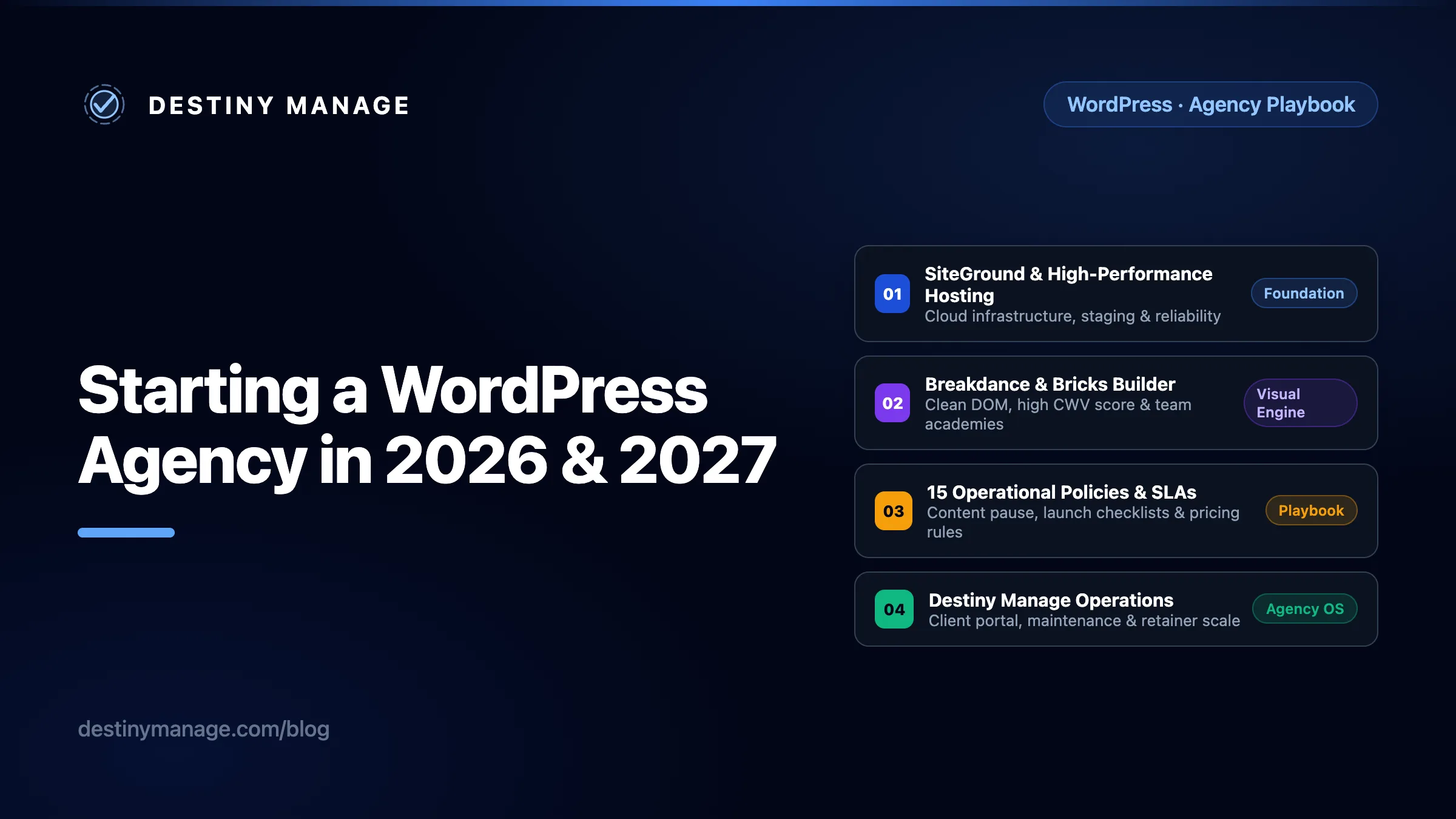
The 2026 agency landscape & specialization opportunity
WordPress still powers over 40% of all websites according to W3Techs, but the agency opportunity today is less about selling generic templates and more about delivering measurable business outcomes, performance, and recurring operations.
Businesses are increasingly cautious of generic, unmaintained websites that struggle with slow mobile load times and lack clear security governance. Modern clients seek specialist agencies that understand their industry, construct clean codebases, and manage ongoing digital operations reliably.
When you deliver a fast, well-managed site and back it with clear maintenance processes, you improve retention and create room for premium retainers.
The 2026 WordPress Agency Stack & Operations Blueprint
Five foundational pillars to launch a specialized, high-margin WordPress agency without technical debt or scope creep.
High-Performance Hosting & Infrastructure
SiteGround (#1 Pick), WP Engine, or Cloudways
Clean Frontend Engine
Custom Gutenberg + ACF Pro or Modern Builders
Security, Legal & Compliance Baseline
MFA, Least-Privilege, DPAs & WCAG 2.2 AA
Niche Specialization & Delivery Workflow
Structured Qualification, Content Intake & QA
Recurring Care & Scope Control
Destiny Manage Operations (Starts Free)
Step 1: Hosting platforms: SiteGround, WP Engine, and neutral evaluation
The “best” hosting provider always depends on your client's traffic profile, compliance requirements, budget, and internal support needs. However, for an agency starting out or consolidating its portfolio, selecting an infrastructure partner with strong collaboration workflows and staging separation is essential.
SiteGround: built-in collaboration and staging
SiteGround is a solid, agency-friendly starting point when you value collaboration and staging over deep server control. It runs on Google Cloud infrastructure with custom PHP speed optimizations, and its per-site access controls make managing a portfolio of client sites straightforward.
- Collaborator Access & Role Separation: SiteGround offers collaborator access that lets team members or external collaborators manage Site Tools for individual WordPress sites while excluding email management and billing. This keeps client financial data secure.
- Tier-Specific Resource Allocation: While all plans benefit from fast server architecture, note that server resources, staging availability, and on-demand backup snapshots vary across tiers. Specifically, GrowBig includes staging and on-demand backups, while GoGeek adds more advanced Git integration, white-label client management, and higher server resource limits.
- Native Speed & Security Plugins: SiteGround provides official, native WordPress plugins (Speed Optimizer & SiteGround Security) that integrate directly with their server-level caching layers and firewalls out of the box.
- Responsive 24/7 Expert Support: Reliable 24/7 live assistance staffed by WordPress specialists so your agency is never stuck during urgent client launches or maintenance windows.
- SuperCacher & Staging: Built-in dynamic caching and one-click staging environments allow safe pre-launch testing before pushing updates live.
WP Engine, Kinsta & Cloudways
SiteGround is one worked example, not the only answer. Weigh these managed hosts as equals and pick on your client mix, budget, and how much server control your team wants:
- WP Engine: Renowned for enterprise managed WordPress infrastructure. Notably, WP Engine features Smart Plugin Manager, an automated service providing scheduled automated plugin updates combined with visual regression testing and automated rollbacks if visual breakage occurs.
- Kinsta & Cloudways: Excellent alternatives for containerized cloud hosting (powered by Google Cloud or AWS/DigitalOcean) when your engineering team requires granular server tuning and dedicated container isolation.
Step 2: Design themes vs. custom code pipelines & modern builders
A common mistake new agency owners make is purchasing multi-purpose “all-in-one” marketplace themes. While these themes promise instant demos, they often come bundled with unused scripts, complex shortcode wrappers, and rigid styling that breaks under custom client requirements.
In 2026, professional WordPress agencies reject bloated marketplace themes in favor of two distinct engineering paths: custom code pipelines or DOM-efficient visual builders.
The developer route: Custom Gutenberg & ACF Pro pipelines
While visual builders are powerful, they are not the only professional path. If your agency team has coding experience with Vanilla CSS, Vanilla JS, and PHP, adopting a custom route using native Gutenberg blocks combined with Advanced Custom Fields (ACF Pro) offers exceptional architectural control:
Advantages of Custom Gutenberg + ACF Blocks for Engineering Teams
Visual builders serialize layout structures inside database tables. When developing updates on staging, syncing databases back to production risks overwriting live blog posts or customer orders.
With custom ACF blocks, your block templates, JSON field groups, and modular CSS/JS live in Git-versioned files. You can deploy code changes cleanly via CI/CD pipelines without overwriting live MySQL content.
ACF blocks provide structured form fields inside the WordPress editor (headline, subtitle, image, CTA). Clients edit content safely without dragging layout containers or altering global typography tokens.
By enqueuing only specific CSS/JS per block, your site ships minimal payload size and achieves top-tier Core Web Vitals naturally.
Breakdance vs. Bricks Builder: Market sentiment & academies
When agencies opt for visual builders, Breakdance Builder and Bricks Builder are frequently praised in developer communities. Based on general market sentiment and user discussions online:
Breakdance Builder (Designer & WooCommerce Efficiency)
Market sentiment highlights Breakdance for reducing boilerplate setup while delivering clean DOM output.
- 130+ Built-In Elements: Advertises extensive native elements (sliders, forms, menus) to minimize third-party add-ons.
- Dedicated WooCommerce Functionality: Deep native elements for cart, checkout, and store customization.
- Structured Learning: Accelerated onboarding via Breakdance Academy.
Bricks Builder (Class-First & Developer Alignment)
Developer sentiment favors Bricks for feeling like a visual IDE with strict class-first methodologies.
- Global Utility Class Workflow: Manages CSS classes systematically across large sites.
- Dedicated WooCommerce Elements: Includes dedicated WooCommerce templates and custom query loop controls.
- Comprehensive Training: Advanced pattern mastery through Bricks Academy.
Visual Builders Comparison: Modern Engines vs. Established Platforms
Comparing DOM efficiency, Core Web Vitals out-of-the-box performance across latest releases, and WooCommerce capabilities.
| Builder | DOM Structure | Core Web Vitals Effort | WooCommerce & Agency Fit |
|---|---|---|---|
Modern Clean-DOM Builder | Clean (Minimal wrappers) | Designed for strong performance | 130+ Native elements & deep Woo integration Agencies wanting rapid visual turnaround with minimal CSS boilerplate |
Modern Developer Builder | Clean (Semantic HTML5) | Designed for strong performance | Dedicated WooCommerce elements & query loops Code-savvy teams preferring class-first CSS & visual IDE structure |
Established Page Builder (Containers) | Modern Flexbox & Grid Containers | Strong CWV w/ Container layouts | Extensive WooCommerce builder & widget ecosystem Agencies wanting vast template libraries & modern Flexbox/Grid container performance |
Established Theme Builder (Divi 5) | Optimized DOM via Divi 5 engine | Strong CWV via dynamic asset loading | WooCommerce modules & visual shop customization Agencies leveraging Divi's lifetime ecosystem & improved Divi 5 performance engine |
Established builders: An objective look at Elementor & Divi
Elementor Pro and Divi hold dominant market shares due to their vast template ecosystems, visual add-ons, and ease of onboarding. Importantly, with their latest versions, such as Elementor’s native Flexbox/Grid containers and Divi’s modern performance engine, both platforms have significantly optimized their DOM output and dynamic asset loading to achieve excellent Core Web Vitals out of the box.
Whether your agency chooses Breakdance, Bricks, Elementor Pro, or Divi ultimately comes down to your team’s workflow preferences: visual speed, utility-class CSS control, or extensive third-party template ecosystems.
Step 3: Essential plugins & concrete WCAG accessibility auditing
A production WordPress agency site requires purposeful coverage across foundational categories: security (Wordfence / Patchstack), SEO (Rank Math), client forms (Gravity Forms), and backups.
Concrete Accessibility (WCAG 2.2 AA) Audit Workflow
Saying “use native tools” is insufficient. Professional agencies implement a verifiable accessibility testing protocol across every build:
- Automated Editorial Checks: Install Equalize Digital Accessibility Checker or integrated automated scanners inside the post editor to flag missing ARIA labels, contrast errors, and skipped heading levels before publishing.
- Browser DevTools & axe-core: Run axe-core and Chrome DevTools audits across all key templates (home, archive, single post, checkout).
- Manual Keyboard & Focus Verification: Ensure every interactive element (modals, menus, forms) can be navigated using only the Tab and Enter keys with a visible focus ring.
For a full technical breakdown of recommended plugins, read our guide on The Essential Plugins Every WordPress Agency Needs After Installing a Builder.
Step 4: Full agency workspace: CRM, PM, invoicing, and vaults
Operating professionally requires a unified software stack beyond email and cloud storage:
- All-in-One Agency Operating System: Destiny Manage helps scale your agency starting with a generous free tier, keeping client portals, maintenance reporting, project visibility, and recurring billing centralized in one place so you can consolidate standalone software subscriptions you may not need.
- Domain Email & Shared Drive: Google Workspace (`hello@youragency.com`) and Google Drive for standardized client intake folders and deliverables.
- CRM & Sales Pipeline: HubSpot or HighLevel to track prospective discovery calls, proposal stages, and client follow-ups.
- Project Management: Linear, ClickUp, or Asana to manage build sprints, developer task assignments, and launch milestones.
- Invoicing & Billing: Stripe Billing or QuickBooks to automate recurring retainer charges and ACH payments.
- Team Password Vault: 1Password or Bitwarden Business to store secure client hosting, DNS, and application passwords with role-based access.
Running a qualifying first discovery call
A high-converting discovery call qualifies the client's fit before discussing visual aesthetics:
- Qualify Budget & Timeline: Ask explicitly: “What is your target investment range for this build, and what hard business date drives our launch timeline?”
- Identify Key Decision-Makers: Confirm who holds sign-off authority so proposals are not delayed by unaligned stakeholders.
- Audit Current Hosting & Technical Stack: Check their existing domain registrar, DNS hosting, CRM integrations, and email infrastructure.
Step 5: End-to-end delivery workflow & content operations
Agency profitability relies on a disciplined delivery process that prevents scope creep and content bottlenecks.
The 7-Phase End-to-End Agency Delivery Workflow
01. Discovery & Qualification
Audit client budget, timeline, decision-makers, current hosting stack, and business KPI objectives.
02. Proposal & Scope Agreement
Define exact deliverables, ongoing retainer requirements, DPAs, and scope change management rules.
03. Sitemap & Technical Architecture
Design content hierarchy, URL structures, schema requirements, and block/builder component library.
04. Content Intake & Asset Lock
Collect copy, verified licenses, and high-resolution brand vectors before development sprint begins.
05. Development & QA Checklist
Build responsive templates, run Equalize Digital / axe-core WCAG audits, and test cross-device rendering.
06. Staging Review & Launch Checklist
Verify GA4 events, Search Console verification, 301 redirects, SSL certificates, and DNS TTL preparation.
07. Post-Launch Retainer Handoff
Onboard client into white-labeled Destiny Manage portal for monthly maintenance reports and ticket routing.
Establishing Content Operations Boundaries
More agency projects stall due to delayed client copy and images than code bugs. Establish clear content rules in your proposal:
- Copywriting Responsibility: Define explicitly whether the client supplies draft copy via structured intake docs or if your agency includes professional SEO copywriting as a paid line item.
- Licensed Asset Verification: Require clients to upload verified high-resolution logos and commercially licensed photography before development sprint sign-off.
- Revision Rounds: Limit design and content revisions to two structured consolidation rounds per phase.
Step 6: Legal, GDPR compliance & security baselines
Running an agency requires shielding both your firm and your clients from legal liability and security threats:
Legal & Compliance Checklist
- GDPR & Cookie Consent: Deploy compliant banner solutions that block non-essential tracking cookies until explicit opt-in.
- Data Processing Agreements (DPAs): Execute formal DPAs with clients regarding form submissions and customer PII handling.
- License & Account Ownership: Specify in contracts that domain names, Google accounts, and core builder licenses belong to the client upon full payment.
Security & Access Baseline
- Mandatory MFA: Enforce Multi-Factor Authentication across all hosting, registrar, and WordPress admin accounts.
- Least-Privilege Access: Grant Editor roles to client marketing staff; reserve Administrator access exclusively for developer maintenance.
- Structured Offboarding Protocol: Immediately revoke collaborator and SFTP credentials upon staff or client contract termination.
Step 7: Analytics, GA4 & conversion tracking setup
Never launch a site without verifiable conversion instrumentation. Configure Google Tag Manager, GA4 event tracking, Google Search Console domain verification, and form/call tracking so your agency can report concrete lead generation ROI during monthly retainer reviews.
Step 8: Niche selection criteria & high-converting portfolio proof
Imagine opening a bakery: if you put empty cardboard boxes in the shop window, nobody will want to buy. But when you display fresh, beautifully made cakes, customers walk in ready to order.
Launching a web agency works the exact same way. If you don’t have past client references yet, build 4 to 5 complete, working sample websites for a specific industry. Make them look and feel like real businesses, with working contact forms, fast loading speeds, and realistic services, so a potential client can immediately see the exact quality they are buying.
5 Criteria for Choosing a Profitable Agency Niche
- Market Size & Reach: Enough local or regional businesses to sustain proactive sales outreach.
- Buying Urgency: High cost of downtime or missed leads (e.g., legal clinics, emergency HVAC, dental practices).
- Average Ticket Size: High customer lifetime value where one new lead pays for their website retainer.
- Repeat Demand: Ongoing need for landing pages, seasonal promotions, or compliance updates.
- Willingness to Pay for Care: A niche that values ongoing maintenance and reporting, so care-plan retainers stick rather than churn after launch.
Step 9: Pricing models, scope control & retainer scaling
To prevent scope creep, define explicit boundaries between routine maintenance, content edits, and custom development work:
- Routine Maintenance (Included): Security patching, automated backups, uptime monitoring, and plugin updates.
- Content Edits (Included up to quota): Text changes, image replacements, and blog uploads using existing layout blocks.
- New Feature Development (Billed Separately): Adding new custom block layouts, third-party API integrations, or database restructurings billed at your hourly overflow rate.
Important note on pricing examples: The retainer care plan figures shown below are illustrative industry examples rather than arbitrary numbers. They reflect established market benchmarks documented across leading agency pricing surveys:
- CodeinWP Agency Maintenance Survey: Documents average entry-level maintenance retainers ranging between $100–$150/month and active growth plans averaging $250–$500+/month.
- GoDaddy Pro Care Plan Benchmarks: Outlines standard 3-tier care packages ($149 Core, $299 Growth/SEO, and $599+ Enterprise E-Commerce SLA).
- WPMU DEV Agency Pricing Guide: Breaks down recurring retainer margins and SLA pricing tiers across thousands of WordPress freelancers and agencies.
Example Agency Retainer Pricing Framework (Industry Benchmarks)
Note: The pricing figures below are illustrative examples modeled on published agency surveys from CodeinWP, GoDaddy Pro, and WPMU DEV. Use these as a baseline to structure 12-month recurring agreements and hourly overflow rates.
Core Maintenance
Informational brochures & portfolio sites
- ✓Weekly automated backups (30-day retention)
- ✓Weekly managed core, theme & plugin updates
- ✓Automated uptime & SSL certificate monitoring
- ✓Monthly PDF maintenance & security report
- ✓Standard email desk (48-hour SLA target)
Growth & SLA Care
Most PopularLead-gen corporate sites & active blogs
- ✓Daily off-site backups & snapshot rollbacks
- ✓Weekly visual regression testing before updates
- ✓Automated WCAG 2.2 AA accessibility audits
- ✓Monthly Core Web Vitals & database optimization
- ✓60 minutes of included content edits per month
- ✓Priority desk (4-hour SLA response target)
Enterprise Retainer
WooCommerce stores & custom web apps
- ✓Real-time / hourly off-site database backups
- ✓Dedicated staging environment verification
- ✓Dedicated security monitoring & malware guarantee
- ✓Full quarterly accessibility & SEO review
- ✓3 hours of included developmental edits
- ✓Emergency phone / Slack support channel
Scaling Client Operations with Destiny Manage (Starts Free)
Managing recurring retainers across dozens of client sites requires centralized operations. Destiny Manage provides an all-in-one hub designed for WordPress agencies:
- Starts with a Free Tier: Onboard client sites at zero cost to centralize monitoring and ticketing immediately.
- White-Labeled Client Portal: Provide clients a branded dashboard on your domain (`portal.youragency.com`).
- Automated Maintenance Reports: Generate client-facing PDF reports showing uptime, security scans, Core Web Vitals, and completed update logs.
Step 10: Agency Operational Playbook: 15 Essential Policies, Checklists & SLAs
To prevent client friction and scale reliably across dozens of client accounts, professional agencies enforce these fifteen operational frameworks across content, launch engineering, legal compliance, and retainer governance:
Agency Operational Playbook: 15 Essential Policies, Checklists & SLAs
Professional agency hygiene requires clear boundaries across sales, engineering, compliance, and ongoing retainers.
Copy & Content Ownership Policy
Explicitly specify who writes copy and sources imagery. Include a 'Content Delay Pause Clause': if client assets are delayed past 14 days, project timelines shift and milestone invoicing proceeds automatically.
Comprehensive Pre-Launch Checklist
Mandate a strict pre-launch protocol: verify 301 redirects from legacy URLs, audit robots.txt indexing controls, test synthetic form submissions, verify SPF/DKIM/DMARC email deliverability, and lock a rollback snapshot.
Post-Launch Support SLA & Emergency Hours
Define exact SLAs: e.g., 48-hour response for standard tickets, 4-hour target for priority retainers. Specify emergency after-hours overflow rates ($150-$200/hr) and define what constitutes a critical site outage.
License Management & Asset Tracking
Never reuse agency developer keys across departing clients. Track premium plugins, commercial fonts, stock photography, and builder licenses per client so licenses transfer cleanly upon full invoice payment.
Technical Debt & Inheritance Policy
Document what your agency will and won't inherit when taking over existing WordPress sites. Require a paid Technical Discovery Audit ($500-$1,500) before onboarding legacy builds to decide if a clean rebuild is required.
Standardized Client Offboarding & Exit Process
Provide a graceful offboarding protocol: export final database backups, transfer WordPress Administrator and DNS credentials, revoke agency collaborator access, and provide a 14-day transition period.
Local SEO & Service-Area Agency Workflow
For agencies serving local trades or clinics, standardize LocalBusiness JSON-LD schema, Google Business Profile integration, and NAP (Name, Address, Phone) citation consistency as a core monthly retainer service.
Proactive Monitoring Stack Recommendation
Go beyond basic uptime checks. Deploy PHP error logging, automated broken link scanners, SSL expiry alerts, and synthetic checkout/form monitors so your agency detects issues before the client does.
Content Governance & Publishing Roles
Assign 'Editor' roles to client marketing teams and restrict 'Administrator' access to agency engineers. Establish clear revision windows and approval sign-offs before live publication.
GDPR Privacy & Cookie Consent Baseline
Treat cookie consent banners, formal Data Processing Agreements (DPAs), and explicit privacy policy disclosures as mandatory operational hygiene rather than optional client add-ons.
Structured Proposal Template Structure
Every proposal must include three explicit sections: Project Assumptions, Clear Scope Exclusions, and Revision Limits (two consolidated rounds per design/dev phase).
Staging-to-Production Deployment Protocol
Enforce a documented deployment checklist: run visual regression comparisons, verify serialized database URL replacements, and clear edge/server cache layers before marking a sprint complete.
Third-Party Plugin Approval Policy
Prohibit ad-hoc plugin installations on production sites. Require client plugin requests to undergo agency evaluation for security vulnerabilities, CWV performance impact, and maintenance compatibility.
Security Incident Escalation Protocol
Establish a documented escalation path for zero-day vulnerabilities or malware alerts: immediate WAF rule deployment, snapshot isolation, client communication within 2 hours, and forensic recovery.
Value-Focused Monthly Reporting Template
Send monthly client reports that demonstrate ROI beyond uptime: highlight lead form conversions, Core Web Vitals stability, security blocks thwarted, and completed content updates.
Related agency guides
The Essential Plugins Every WordPress Agency Needs After Installing a Builder
Once the builder or theme is in place, the real work starts. A practical guide to the performance, security, backup, SEO, forms, accessibility, and maintenance plugins that turn a WordPress site from a nice-looking build into a stable, secure, and easy-to-manage system.
White Label Client Portals for WordPress Agencies: The Complete Setup Guide
White label is more than uploading a logo. A practical guide for WordPress agencies covering the six surfaces a client portal must brand (domain, login, emails, reports, invoices, and the small details), the email authentication work behind sending as your agency, build-versus-buy trade-offs, and a 10-point checklist for evaluating any portal platform.
Tools Agencies Use to Manage Clients (And Where Destiny Manage Fits In)
An honest comparison of the client portals, operational workflows, and knowledge base tools modern web agencies use to manage client retainers, and where Destiny Manage fits in.
Launch Your Agency With Confidence
Manage your client portfolio all in one place
Start free with Destiny Manage. Get white-labelled client portals, automated accessibility and uptime checks, and professional maintenance reporting built for growing WordPress agencies.
Get started for free